
How to Top Up or Purchase Additional Hours
If you’re an existing client and have reached your current service package limit, adding more hours is easy. Follow these steps to continue receiving uninterrupted support and services:
- Log in to the Client Portal
-
On your dashboard, locate the My Project section and click Check Project.
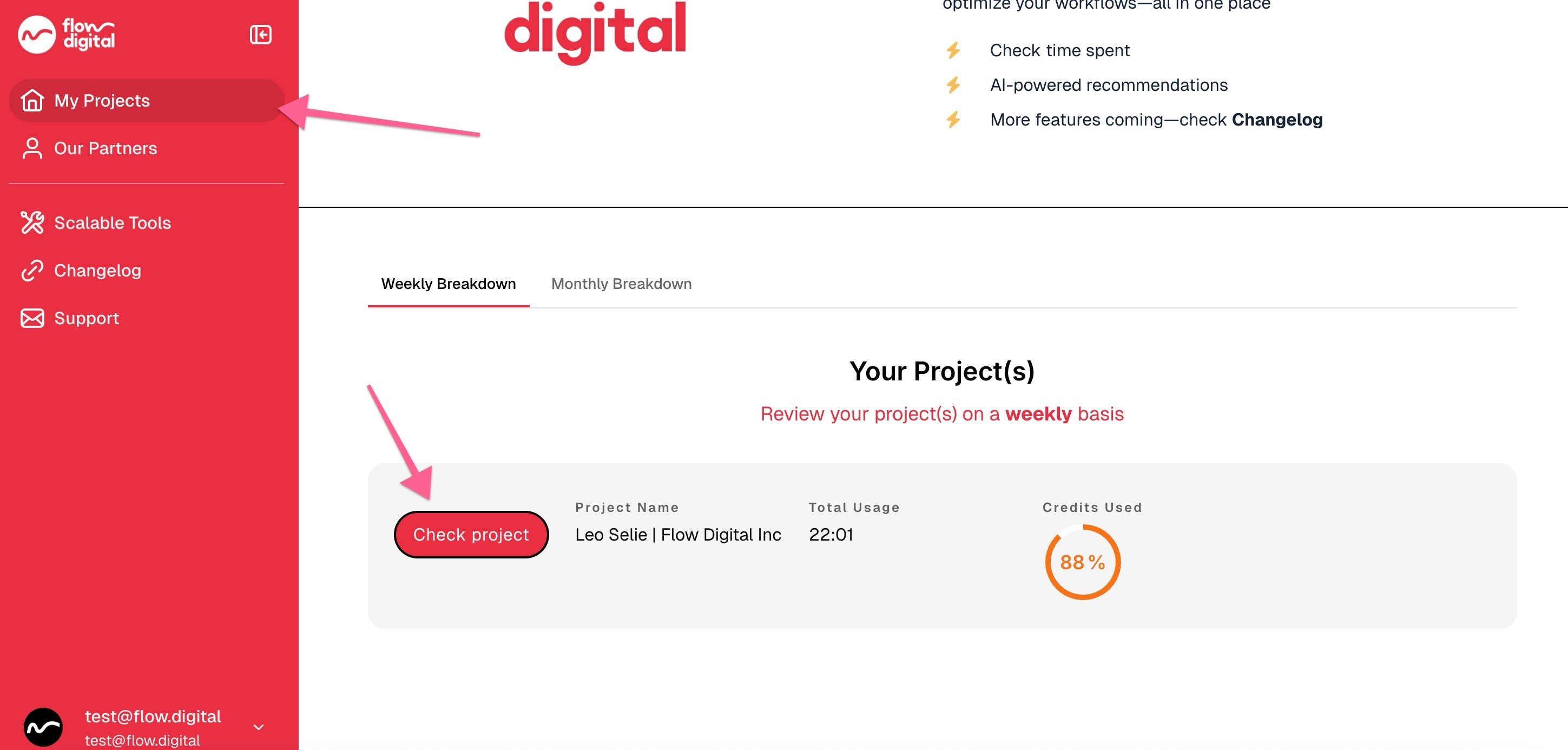
-
You will see options to top up your account with 10 hours or 25 hours. Choose the option that best fits your needs.
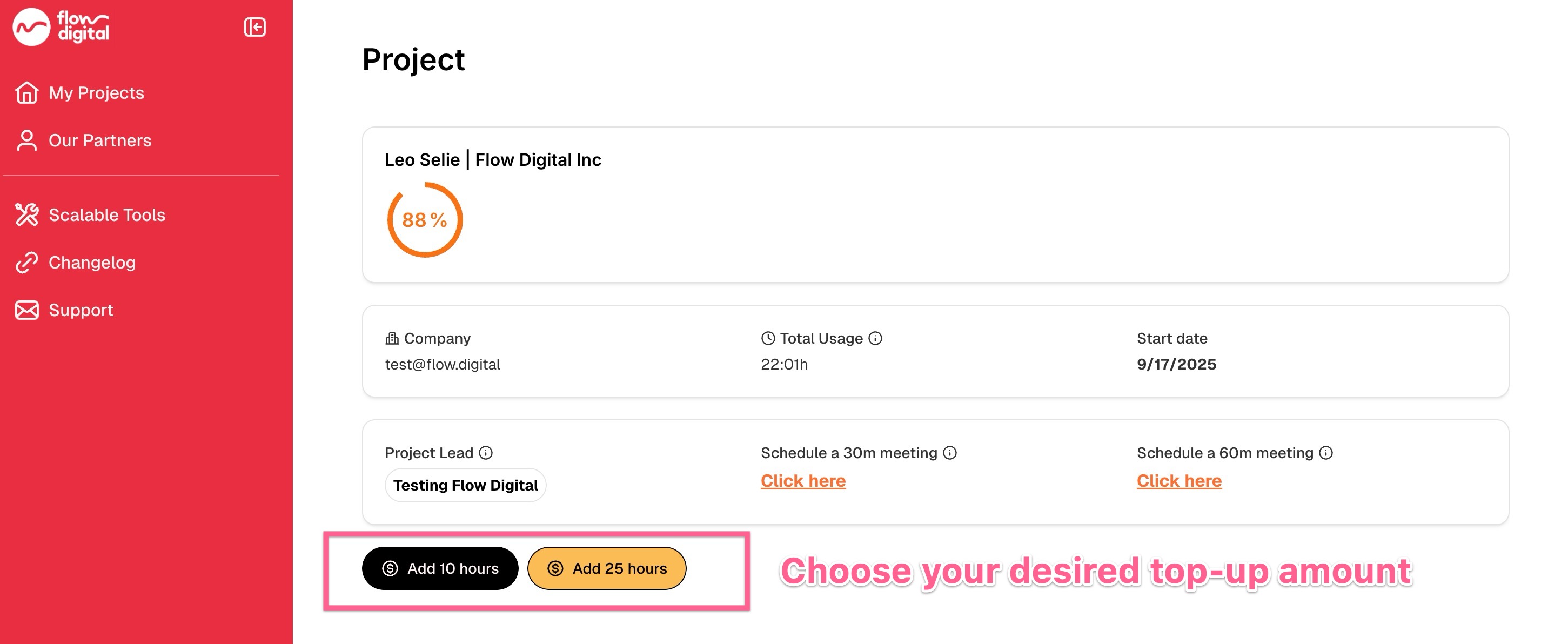
- After selecting your desired top-up, you’ll be redirected to the payment page to finalize your purchase. Once completed, your additional hours will be added to your account.
Related Articles:
- How to Register in the Client Portal
- I’m Trying to Login to the Client Portal, But I’m Not Receiving Any Codes
- Need Help? Here’s How to Contact Flow Digital
- How to Find Your Project Lead (For Existing Clients)
- How to Book a Meeting with Your Project Lead (For Existing Clients)
- My client portal
- How to Check Your Remaining Credits or Time in the Client Portal
- Opt-In Email Notifications for 90% Credit Usage
- How to Access Your Meeting Recordings in the Client Portal
- Can I Use Multiple Accounts to Access the Client Portal?