
How to Find Your Project Lead (For Existing Clients)
If you’re an existing client and want to know who is managing your project, follow these steps:
- Log In to the Client Portal
-
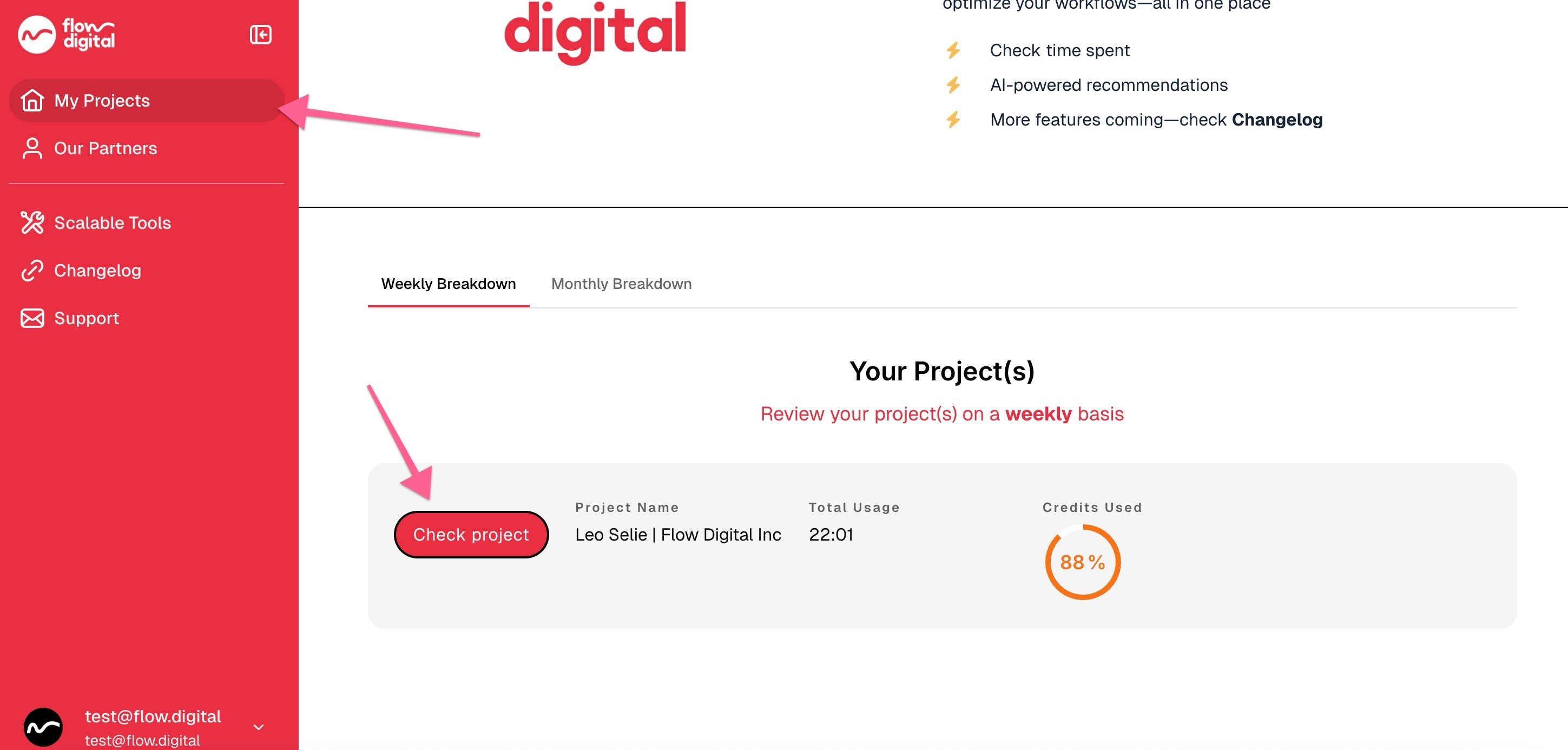
On your dashboard, locate the My Project section and click Check Project.
-
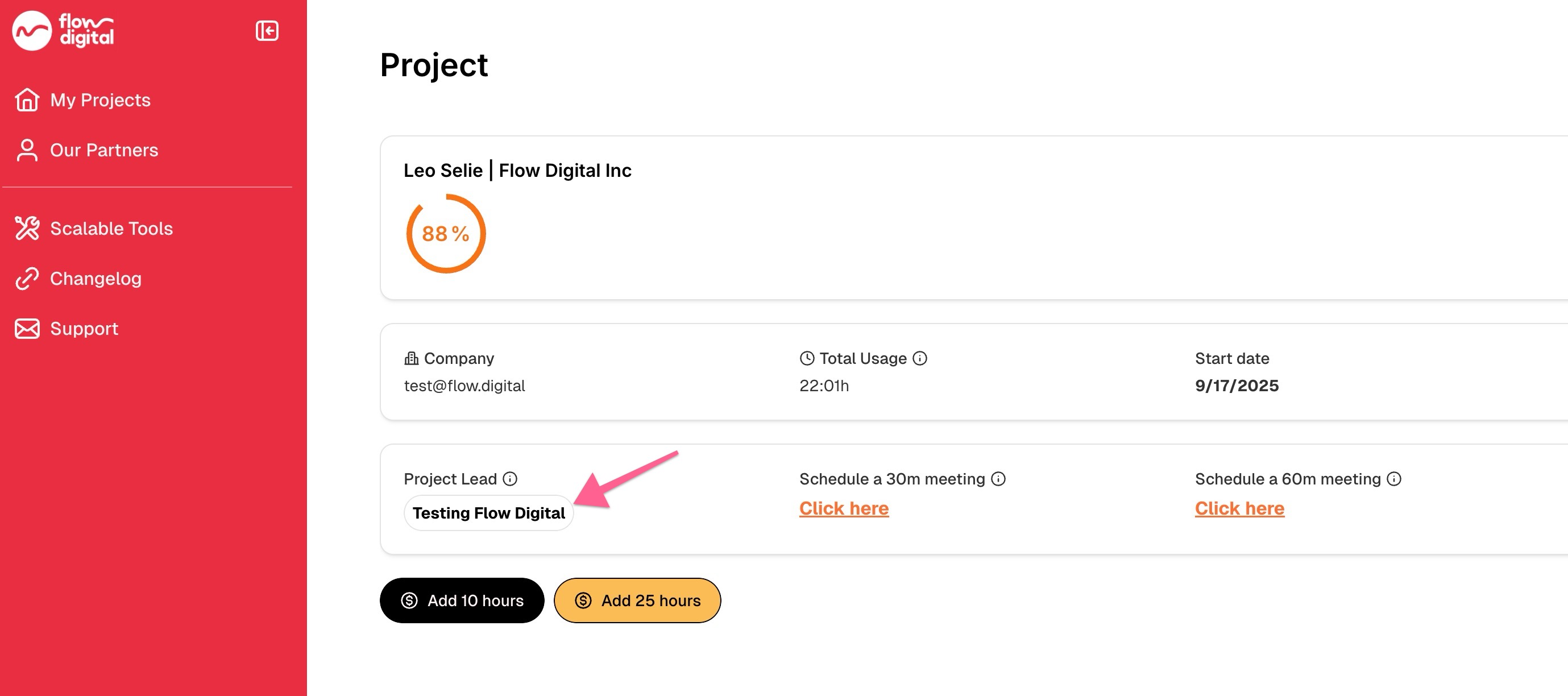
Your project lead’s name will be displayed on the project details page.
Related Articles:
- How to Register in the Client Portal
- I’m Trying to Login to the Client Portal, But I’m Not Receiving Any Codes
- Need Help? Here’s How to Contact Flow Digital
- How to Top Up or Purchase Additional Hours
- How to Book a Meeting with Your Project Lead (For Existing Clients)
- My client portal
- How to Check Your Remaining Credits or Time in the Client Portal
- Opt-In Email Notifications for 90% Credit Usage
- How to Access Your Meeting Recordings in the Client Portal
- Can I Use Multiple Accounts to Access the Client Portal?