
How to Access Your Meeting Recordings in the Client Portal
You can now view all your meeting recordings directly from the Client Portal. This makes it easier to revisit past discussions, follow along with project updates, or share information with your internal team.
How to Access Your Recordings
- Log in to the Client Portal
-
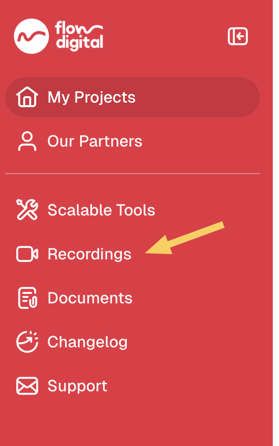
On your main dashboard, locate the Recordings section.
-
Click into it to view all available meeting recordings linked to your project.
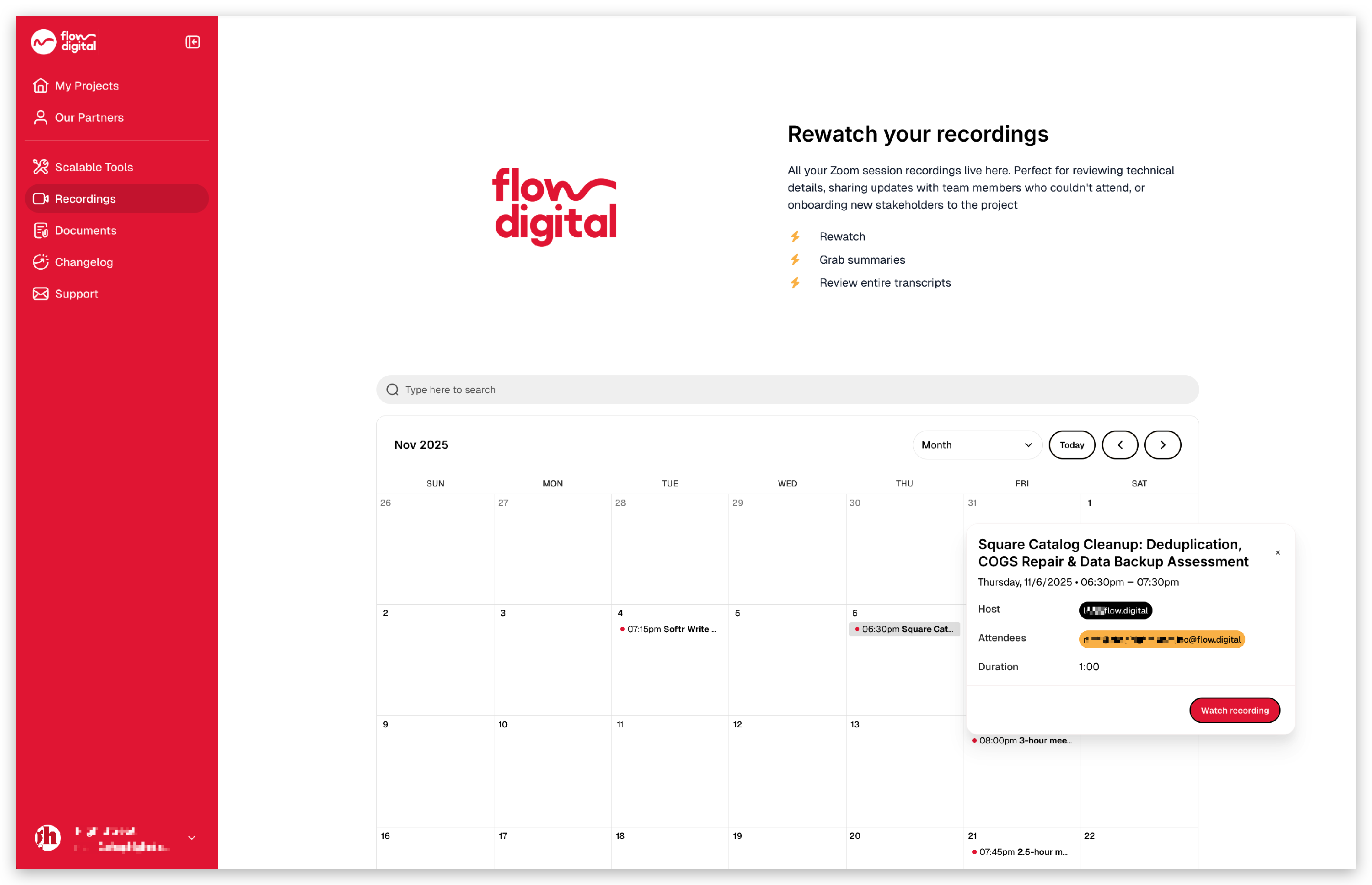
- Select any recording to watch or download.
Why This Matters
Having your meeting recordings in one place helps you:
- Quickly revisit previous discussions and decisions
- Stay aligned with your Project Lead and internal team
- Ensure continuity if you have multiple stakeholders involved
Related Articles:
- How to Register in the Client Portal
- I’m Trying to Login to the Client Portal, But I’m Not Receiving Any Codes
- Need Help? Here’s How to Contact Flow Digital
- How to Find Your Project Lead (For Existing Clients)
- How to Book a Meeting with Your Project Lead (For Existing Clients)
- My client portal
- How to Check Your Remaining Credits or Time in the Client Portal
- Opt-In Email Notifications for 90% Credit Usage
- How to Top Up or Purchase Additional Hours
- Can I Use Multiple Accounts to Access the Client Portal?