
How to Check Your Project Usage in the Client Portal
You can easily check how much of your package has been used so far, along with your total hours used through the Client Portal.
Steps to Check Your Usage:
- Log in to the Client Portal using the email registered in our system.
-
Navigate to the My Projects section, and click on Check Project.
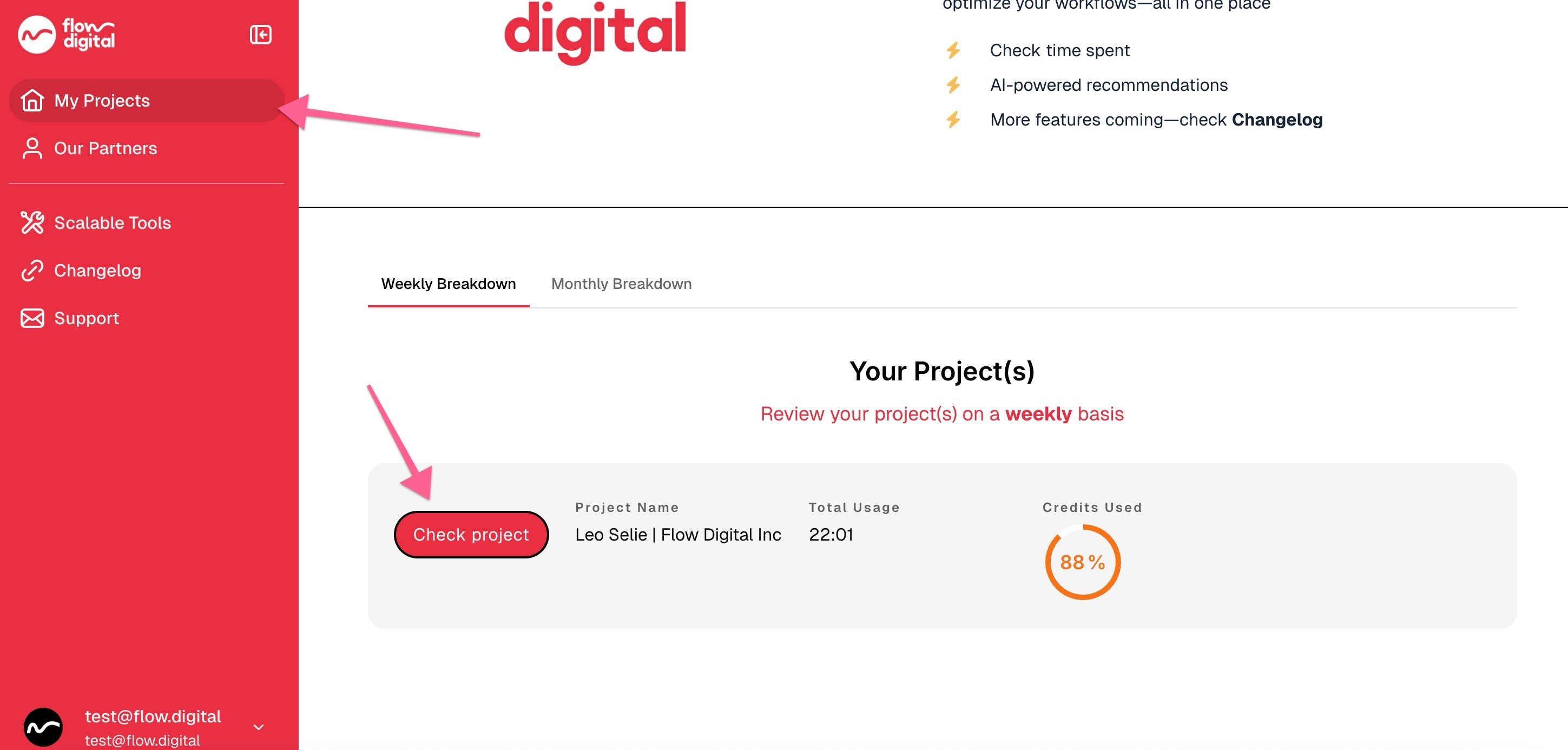
- You’ll see:
- A percentage usage wheel indicating how much of your purchased package has been used.
-
A total usage value showing the number of hours already consumed.
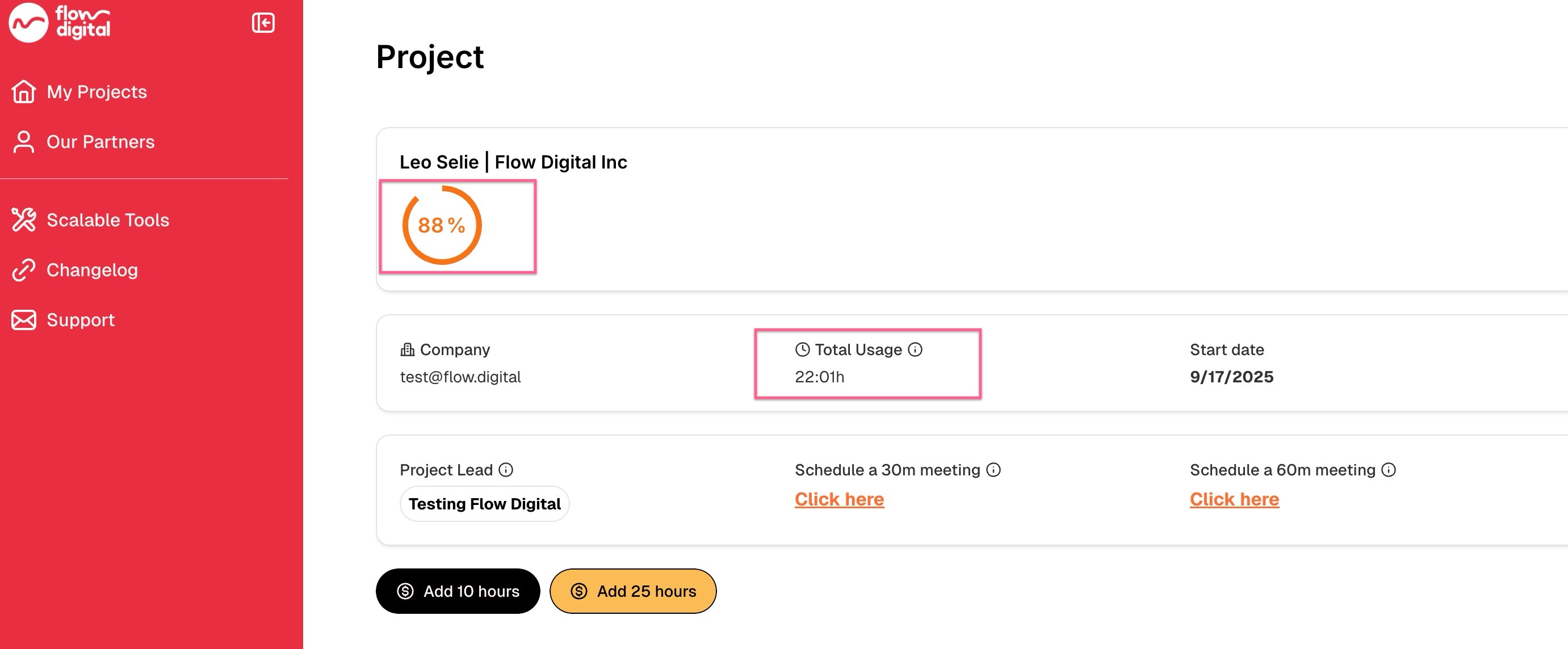
This helps you easily understand your progress through your current package.
If your balance is running low, you can top up or purchase additional hours here:
👉 How to Top Up or Purchase Additional Hours
Related Articles:
- How to Register in the Client Portal
- I’m Trying to Login to the Client Portal, But I’m Not Receiving Any Codes
- Need Help? Here’s How to Contact Flow Digital
- How to Find Your Project Lead (For Existing Clients)
- How to Book a Meeting with Your Project Lead (For Existing Clients)
- My client portal
- How to Check Your Remaining Credits or Time in the Client Portal
- Opt-In Email Notifications for 90% Credit Usage
- How to Access Your Meeting Recordings in the Client Portal
- Can I Use Multiple Accounts to Access the Client Portal?